
Introduction
Cybersecurity has become more important than ever in 2026. As technology continues to grow, cyber threats are also becoming more advanced. Hackers now use phishing scams, malware, ransomware, and AI-powered attacks to target individuals and businesses worldwide.
People use smartphones, laptops, cloud storage, and online banking every day. These digital activities make life easier, but they also create security risks. A single cyber attack can lead to stolen passwords, financial loss, and identity theft.
To stay protected online, users need reliable cybersecurity tools and software. Modern security solutions help detect threats, block harmful files, and protect personal information from hackers.
Whether you are a student, freelancer, business owner, or regular internet user, cybersecurity tools can improve your digital safety. This guide explains the best cybersecurity tools in 2026 and how they help protect devices and data.
What Are Cybersecurity Tools?
Cybersecurity tools are software programs and technologies designed to protect devices, networks, and data from cyber attacks.
These tools help users:
- Detect malware
- Block hackers
- Protect passwords
- Secure internet connections
- Monitor suspicious activity
- Prevent data theft
Cybersecurity tools are essential for both personal and business security.
Why Cybersecurity Tools Are Important
Cyber threats continue to increase every year.
Without proper security software, users may face:
- Hacked accounts
- Malware infections
- Financial fraud
- Data theft
- Privacy violations
Cybersecurity tools reduce these risks and improve online protection.
Antivirus Software
Antivirus software is one of the most important cybersecurity tools.
It scans devices for harmful files and blocks malware before damage occurs.
Features of Antivirus Software
- Real-time protection
- Malware scanning
- Virus removal
- Web protection
- Email security
Benefits
Antivirus software helps protect devices from:
- Viruses
- Spyware
- Trojans
- Ransomware
Users should always install trusted antivirus programs and keep them updated.
Firewall Protection
A firewall acts as a security barrier between a device and the internet.
It monitors incoming and outgoing network traffic.
How Firewalls Help
Firewalls can:
- Block unauthorized access
- Stop suspicious connections
- Protect private networks
- Improve online security
Both businesses and home users benefit from firewall protection.
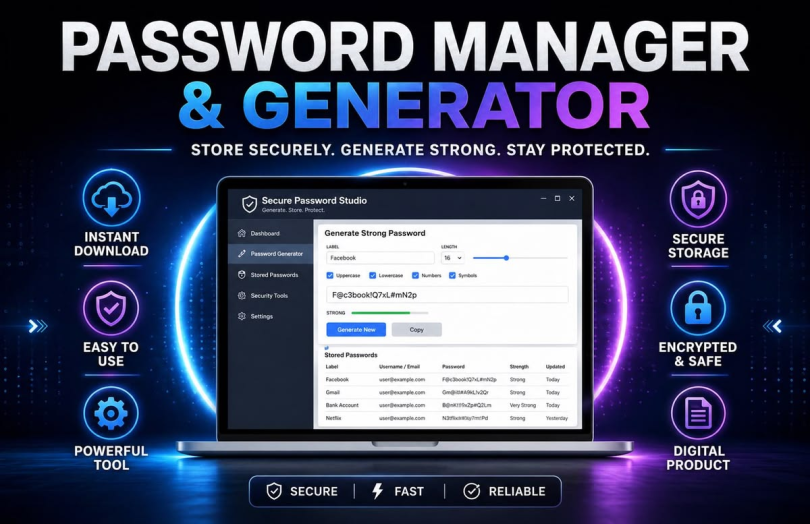
Password Managers
Many people struggle to remember strong passwords for multiple accounts.
Password managers securely store passwords in one protected location.
Benefits of Password Managers
- Generate strong passwords
- Store login details securely
- Reduce password reuse
- Save time during logins
Example
Instead of using simple passwords like “123456”, users can create stronger and unique passwords for every account.
Virtual Private Networks (VPNs)
VPNs improve internet privacy and security.
They encrypt internet traffic and hide user activity from hackers and trackers.
Benefits of VPNs
- Secure public Wi-Fi usage
- Protect browsing activity
- Hide IP addresses
- Improve online privacy
VPNs are especially useful when using public internet connections.
Anti-Phishing Tools
Phishing attacks remain one of the biggest cybersecurity threats in 2026.
Anti-phishing tools help detect fake websites and suspicious emails.
How They Work
These tools can:
- Warn users about fake websites
- Block dangerous links
- Identify suspicious emails
This reduces the risk of stolen passwords and financial fraud.
Encryption Software
Encryption tools protect sensitive information by converting data into unreadable code.
Only authorized users can access encrypted files.
Examples of Encrypted Data
- Business files
- Banking information
- Personal documents
- Cloud storage
Encryption improves data privacy and security.
Backup and Recovery Tools
Cyber attacks and hardware failures can cause data loss.
Backup tools help users store copies of important files safely.
Backup Options
- Cloud backups
- External hard drives
- Automatic backup software
Benefits
Users can quickly recover data after ransomware attacks or device damage.
Network Security Monitoring Tools
Businesses use monitoring tools to track network activity and detect unusual behavior.
Features
- Real-time monitoring
- Threat detection
- Activity logs
- Security alerts
These tools help identify attacks before major damage occurs.
Cloud Security Tools
Cloud storage has become very popular in 2026.
Cloud security tools help protect online data from unauthorized access.
Cloud Security Features
- Access control
- Encryption
- Threat monitoring
- Data backups
Businesses and personal users both benefit from secure cloud systems.
Mobile Security Apps
Smartphones contain valuable personal and financial information.
Mobile security apps help protect devices from threats.
Mobile Security Features
- App scanning
- Device tracking
- Malware detection
- Privacy protection
Users should only install apps from trusted sources.
Multi-Factor Authentication Tools
Multi-factor authentication adds extra security layers to online accounts.
Users must verify identity through additional steps.
Common Verification Methods
- SMS codes
- Authentication apps
- Fingerprint scanning
- Face recognition
This makes accounts harder for hackers to access.
AI-Powered Cybersecurity Tools
Artificial intelligence is transforming cybersecurity in 2026.
AI-powered tools can:
- Detect unusual behavior
- Analyze threats quickly
- Automate security responses
- Improve malware detection
Benefits of AI Security
AI systems help security teams respond faster to cyber attacks.
Risks
Hackers also use AI to create smarter attacks and scams.
Cybersecurity Tools for Small Businesses
Small businesses often face cybersecurity challenges due to limited resources.
Essential Tools for Businesses
- Antivirus software
- Firewalls
- Password managers
- Cloud security tools
- Employee monitoring systems
Businesses should also train employees about cybersecurity awareness.
Free vs Paid Cybersecurity Software
Free Security Tools
Free tools provide basic protection but may lack advanced features.
Paid Security Software
Paid tools often include:
- Better malware detection
- Advanced privacy protection
- Customer support
- Real-time monitoring
Users should choose software based on their security needs.
How to Choose the Right Cybersecurity Tools
Identify Your Needs
Different users require different security solutions.
Check Features
Look for tools with:
- Real-time protection
- Regular updates
- User-friendly design
- Strong reviews
Compare Pricing
Businesses should balance security quality and budget.
Choose Trusted Providers
Use cybersecurity software from reliable and well-known companies.
Practical Examples of Cybersecurity Tools
Example 1: Antivirus Protection
A user downloads an infected file.
The antivirus software detects and removes the malware before damage occurs.
Example 2: VPN Security
A traveler uses airport Wi-Fi with a VPN.
The VPN encrypts internet traffic and protects personal information.
Example 3: Password Manager
A user creates unique passwords for all accounts using a password manager.
Hackers cannot easily access multiple accounts.
Future Trends in Cybersecurity Tools
AI-Based Security Systems
Artificial intelligence will continue improving threat detection.
Zero Trust Security
Organizations will verify every user and device before granting access.
Biometric Authentication
Fingerprint and face recognition systems will become more common.
Advanced Cloud Security
Cloud providers will strengthen encryption and monitoring systems.
FAQs
What are cybersecurity tools?
Cybersecurity tools are software programs that protect devices, networks, and data from cyber threats.
Why is antivirus software important?
Antivirus software detects and removes malware before it damages systems.
What is a VPN?
A VPN encrypts internet traffic and improves online privacy and security.
Are free cybersecurity tools enough?
Free tools provide basic protection, but paid tools usually offer advanced security features.
Why should I use a password manager?
Password managers help create and store strong passwords securely.
What is multi-factor authentication?
It is a security feature that requires extra verification beyond a password.
Are smartphones vulnerable to cyber attacks?
Yes, smartphones can be targeted through fake apps, malware, and phishing scams.
Can small businesses benefit from cybersecurity tools?
Yes, cybersecurity tools help businesses protect customer data and prevent attacks.
Conclusion
Cybersecurity tools are essential for staying safe online in 2026. As cyber threats continue to evolve, users need strong protection for devices, networks, and personal information.
Antivirus software, VPNs, password managers, cloud security tools, and firewalls all play important roles in digital security. Businesses and individuals should choose reliable cybersecurity solutions based on their needs and security risks.
Technology alone cannot completely stop cyber attacks. Users must also practice safe online behavior, update software regularly, and stay informed about modern cyber threats.
By using the best cybersecurity tools and following proper safety practices, users can protect their data, improve privacy, and enjoy a safer online experience.